The FIFINE AmpliGame AM8 combines USB convenience with an XLR connection for creators who want a simple start and room to change their setup.
This fifine usb/xlr dynamic microphone for podcast recording review looks at how its controls, placement needs, and connection tradeoffs suit podcasting, gaming, and voice recording.
FIFINE AM8 Review Summary
The quick verdict
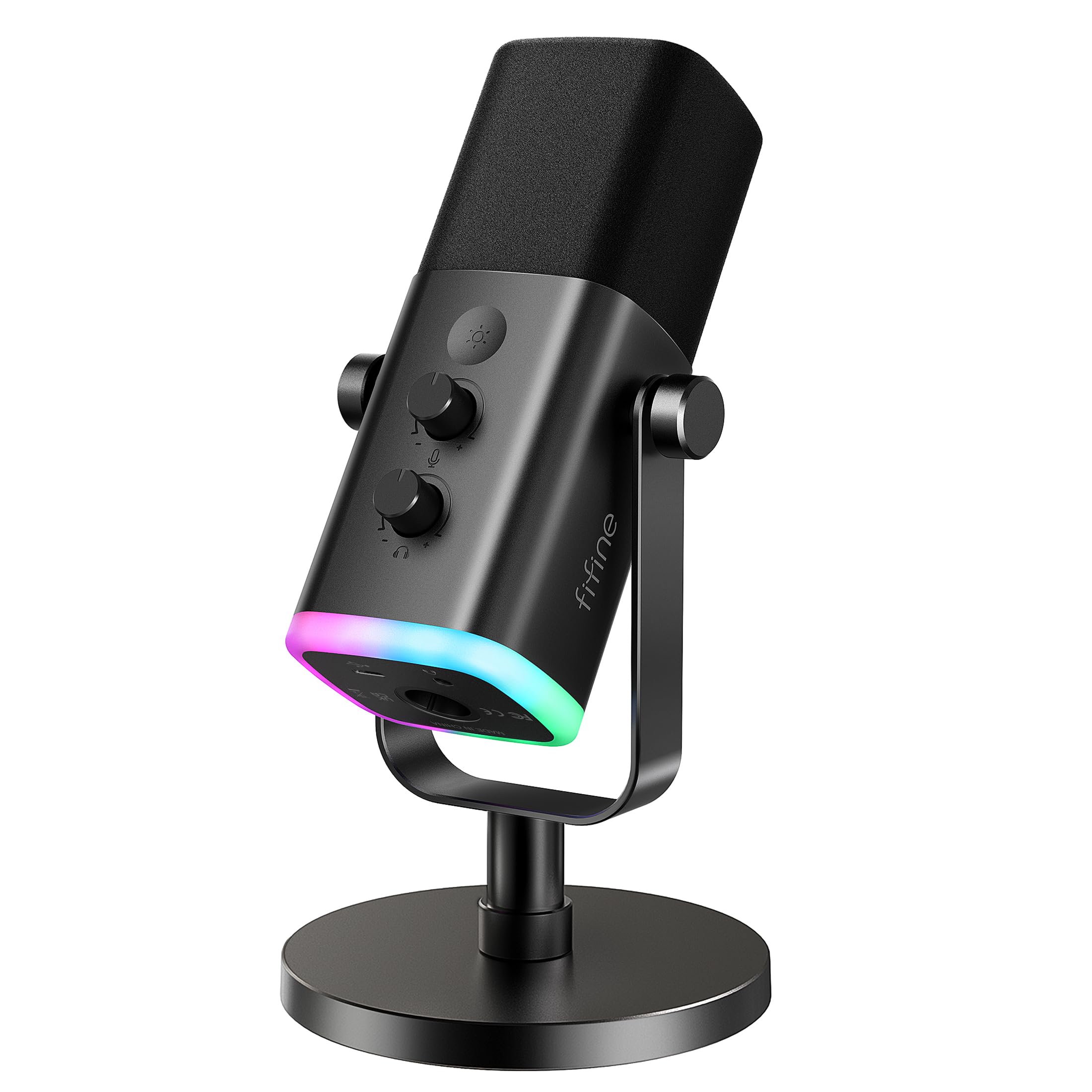
12,000+ ratings
Read Amazon ReviewsFIFINE AmpliGame AM8
A fit for beginner podcasters and streamers who want USB simplicity, mute and monitoring controls, plus the option to move to XLR later.
- Dynamic microphone with a cardioid pickup pattern and a listed frequency response of 50 Hz–16 kHz.
- USB connection for direct use with a computer, with tap-to-mute and an LED mute reminder.
- XLR connection for an audio interface or mixer; the separate XLR cable is not included.
- USB-only controls include a gain knob, headphone jack, monitoring-volume adjustment, and RGB lighting.

Pros
- Two connection options let buyers begin with USB and consider an XLR setup later.
- A physical mute control and LED reminder are convenient during live calls and streams.
Consider before buying
- The XLR cable must be purchased separately for use with an interface or mixer.
- RGB and the microphone's function controls are inactive over XLR, so the feature set depends on connection mode.
Read the full review summary
The AM8 is designed to cover everyday recording without requiring an interface at the outset: connect over USB, use its built-in mute and gain controls, and monitor through the headphone jack.
Its cardioid dynamic design and suggested close speaking distance make it a practical candidate for a desk where the microphone can stay near the speaker.
The XLR output gives the mic a path into an interface or mixer, but the transition changes the experience: the XLR cable is separate, and the RGB lighting and onboard function controls are USB-only.
It is best suited to someone who values an easy USB workflow now and may later want an analog connection, rather than a buyer seeking every feature to work in both modes.
The buying factors
FIFINE AM8 Scorecard
Editorial scores reflect listed features and buyer fit; they are not laboratory measurements or customer ratings.
Connection flexibility
USB and XLR offer two ways to connect, though XLR requires a separate cable and disables the USB-specific controls and lighting.
USB convenience
Direct USB use, tap-to-mute, and onboard adjustment make it approachable for a computer recording setup.
Voice pickup design
The cardioid dynamic design is intended to focus on a close, front-facing speaker; the suggested placement is two to six inches away.
On-mic control
USB mode includes mute, a mute reminder, a gain knob, headphone monitoring, and monitoring-volume control.
Setup customization
USB mode offers three RGB modes and more than ten color options, with memory for the selected lighting.
Desk and stand fit
A desktop stand is included, and built-in 3/8-inch and 5/8-inch threads support many mic stands; buyers should confirm their preferred placement.
Key Features and Specifications of FIFINE AM8
- Dynamic microphone with a cardioid pickup pattern and a listed frequency response of 50 Hz–16 kHz.
- USB connection for direct use with a computer, with tap-to-mute and an LED mute reminder.
- XLR connection for an audio interface or mixer; the separate XLR cable is not included.
- USB-only controls include a gain knob, headphone jack, monitoring-volume adjustment, and RGB lighting.
- RGB lighting has three modes and more than ten color options, with a memory function.
- Desktop stand and built-in 3/8-inch and 5/8-inch threads for mounting compatibility.
- The microphone is end-addressed; the suggested recording distance is two to six inches, with the top facing the sound source.
Pros and Cons of FIFINE AM8
Pros
- Two connection options let buyers begin with USB and consider an XLR setup later.
- A physical mute control and LED reminder are convenient during live calls and streams.
- Headphone monitoring and a gain knob provide basic adjustments at the microphone in USB mode.
- The desktop stand and standard thread sizes offer more than one placement route.
Consider before buying
- The XLR cable must be purchased separately for use with an interface or mixer.
- RGB and the microphone's function controls are inactive over XLR, so the feature set depends on connection mode.
- The close suggested speaking distance means buyers should plan for the mic to sit within easy reach.
Who Should Buy FIFINE AM8?
Good fit
Consider the AM8 if you are starting a podcast, stream, or voice recording setup and want to connect directly over USB.
Tap-to-mute and the visual mute reminder are useful when you need a quick way to silence the mic, while the headphone jack and gain control help with routine monitoring and level adjustments.
The dynamic cardioid design is oriented toward a speaker positioned in front of the microphone, and the suggested two-to-six-inch distance gives a concrete starting point for placement.
It also makes sense for a buyer who expects to use an interface or mixer eventually. The XLR output supports that route, while the USB option keeps the initial setup simpler.
Before choosing it, account for the separate XLR cable and decide whether losing the onboard function controls and RGB in XLR mode fits the workflow you expect.
Who should skip it
Skip this model if your planned XLR workflow depends on using its RGB lighting, mute button, or other onboard function controls; those features are available only over USB.
If you need a microphone that can sit farther away, check whether your desk or stand can place it within the suggested close recording range.
How the FIFINE AM8 Fits a Desk Recording Setup
USB first, XLR later
The dual connection design gives the AM8 a useful upgrade path. USB is the straightforward choice for a computer setup, while XLR connects to an interface or mixer with a separate cable.
Treat these as different operating modes: lighting and the function key are USB-only, so the XLR option changes more than just the cable.
Placement matters for a dynamic mic
The AM8 is end-addressed, so the top should face the sound source, with the speaker positioned close to the mic. Its suggested two-to-six-inch range is a practical setup cue for a desk recording position.
Check that the included stand or a compatible threaded stand lets you keep that distance comfortable without obstructing your work.
Controls for live use
In USB mode, the physical mute control and LED reminder provide a visible, direct way to manage silence.
Headphone monitoring and the gain knob offer convenient adjustments at the mic, while RGB customization is an optional visual feature for a gaming or streaming desk.
If you plan to use XLR, assess your control needs at the interface or mixer instead.
Alternatives to FIFINE AM8
Multipurpose Dynamic Microphones alternative
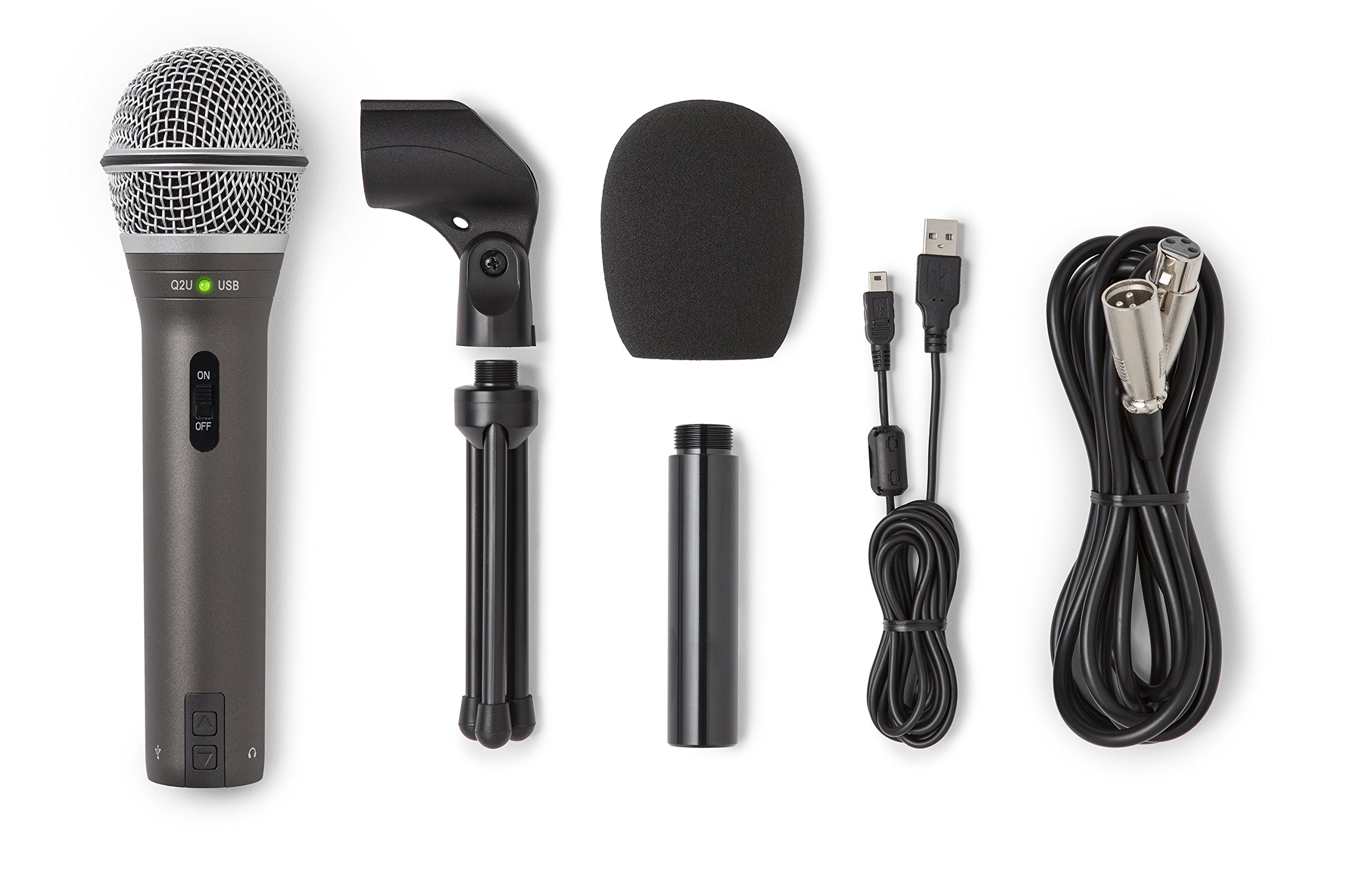
5,000+ ratings
Read Amazon ReviewsSamson Q2U
Choose the AM8 if its USB mute, gain, monitoring, and RGB controls better match a desk streaming setup.
Consider the Q2U if you prefer a handheld form and want the USB-C and XLR cables included with the listed accessories.
- The Q2U is a handheld dynamic microphone with USB-C and XLR connections.
- Its listed pack includes a desktop tripod stand, extension, mic clip, windscreen, USB-C cable, and XLR cable.
- The AM8 offers USB and XLR connections, with USB-only mute, gain, monitoring, and lighting controls; its XLR cable is separate.
Multipurpose Dynamic Microphones alternative
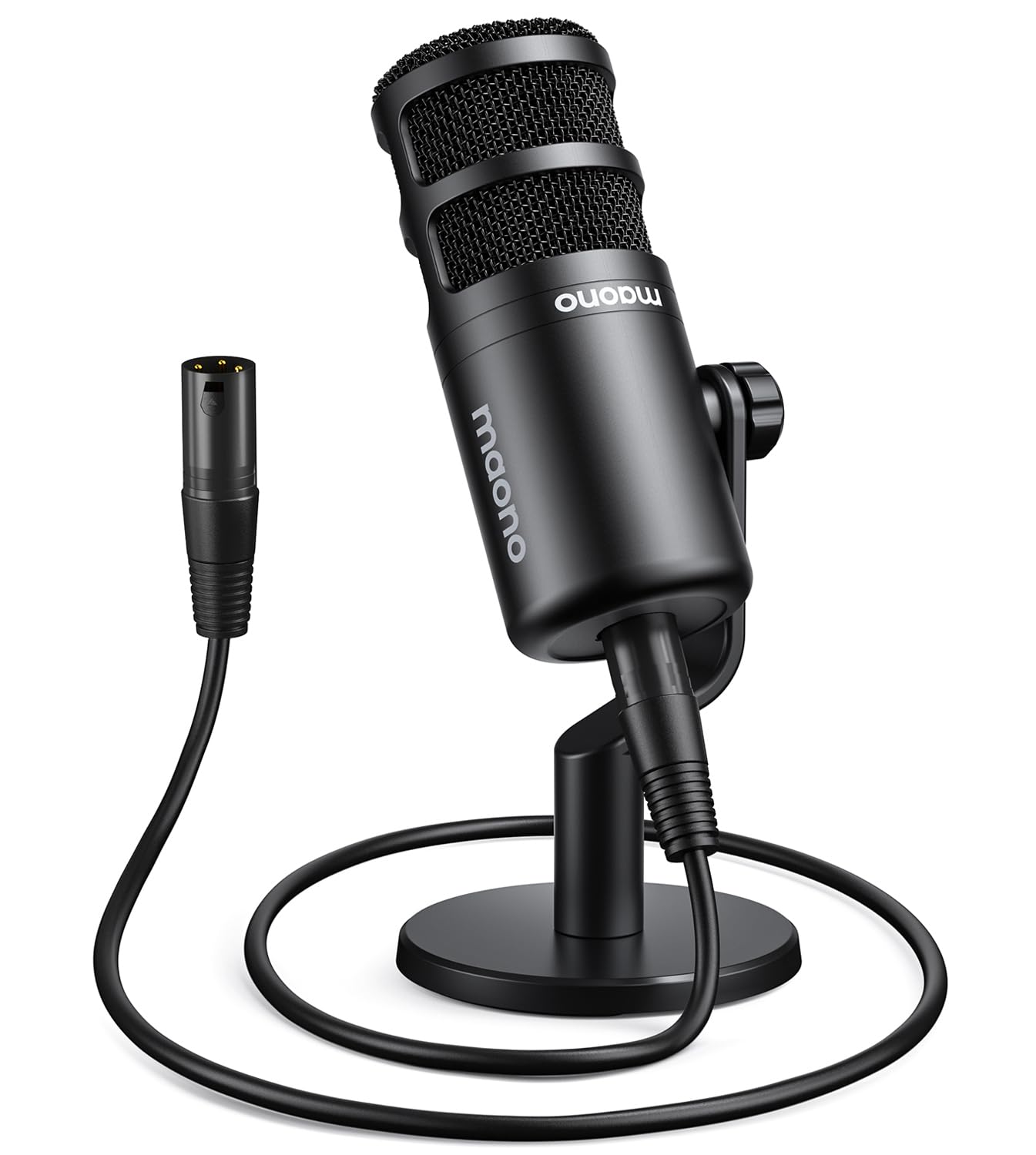
800+ ratings
Read Amazon ReviewsMAONO PD100
The AM8 is the more adaptable choice if you want direct USB use and the option to switch to XLR.
The PD100 may suit a buyer already committed to an interface or mixer who wants a listed XLR cable and a desktop stand in the set.
- The PD100 is an XLR-only cardioid dynamic microphone. Its listed set includes a desktop stand, height extender, metal base, and XLR cable.
- The AM8 supports USB as well as XLR and offers several on-mic controls in USB mode, but its XLR cable is separate.
Is FIFINE AM8 Worth It?
The FIFINE AmpliGame AM8 is worth considering for a desk-based podcaster or streamer who wants a simple USB microphone with physical mute and monitoring controls, plus an XLR route for a future setup change.
Its strongest fit is close, front-facing voice recording where the mic can remain within easy reach.
Buy it if the USB controls and connection flexibility match your routine, and plan for a separate XLR cable if you move to an interface.
If you will use XLR from the start, make the decision with its USB-only controls and lighting in mind.
Your review at a glance
12,000+ ratings
Read Amazon ReviewsFIFINE AmpliGame AM8
A fit for beginner podcasters and streamers who want USB simplicity, mute and monitoring controls, plus the option to move to XLR later.
- Dynamic microphone with a cardioid pickup pattern and a listed frequency response of 50 Hz–16 kHz.
- USB connection for direct use with a computer, with tap-to-mute and an LED mute reminder.
- XLR connection for an audio interface or mixer; the separate XLR cable is not included.
- USB-only controls include a gain knob, headphone jack, monitoring-volume adjustment, and RGB lighting.